Ducklake
This page is part of our section on Persistent storage & databases which covers where to effectively store and manage the data manipulated by Windmill. Check that page for more options on data storage.
Ducklake allows you to store massive amounts of data in S3, but still query it efficiently in natural SQL language.
Getting started
Prerequisites:
- A workspace storage configured
- A Postgres or MySQL resource if you are not superuser. Superusers can use a Custom instance database.
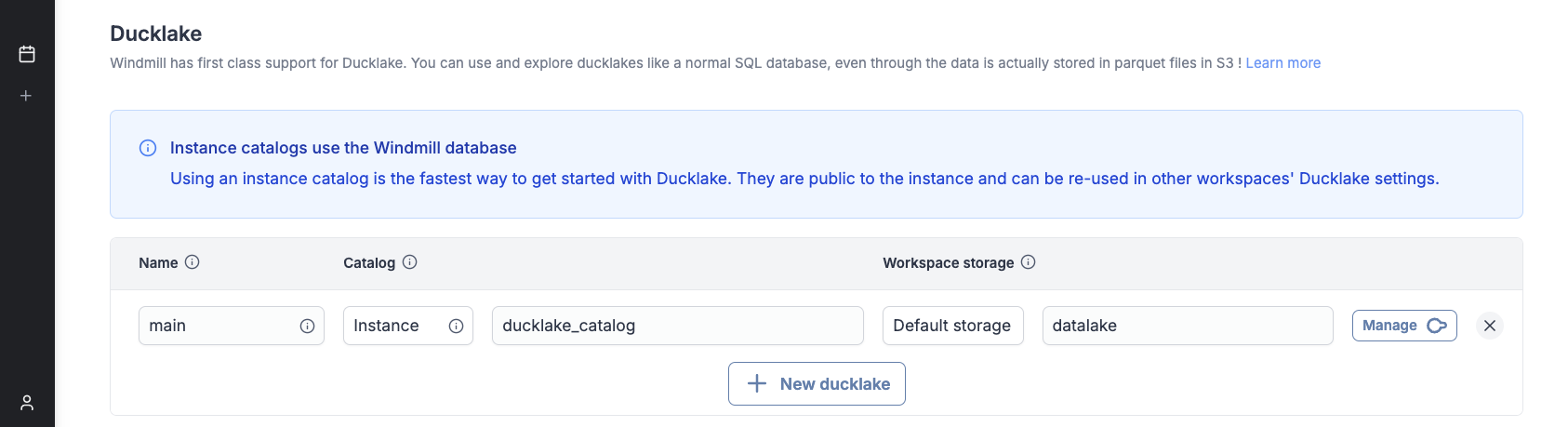
Go to workspace settings -> Object storage (S3) and configure a Ducklake :
Using Ducklake in scripts
Ducklakes are referenced by their name. 'main' is the special default ducklake name, which can be omitted when referencing it.
- Typescript
- Python
- DuckDB
import * as wmill from 'windmill-client';

export async function main(user_id: string) {
	// let sql = wmill.ducklake('named_ducklake');
	let sql = wmill.ducklake();

	// This string interpolation syntax is safe
	// and is transformed into a parameterized query
	let friend = await sql`SELECT * FROM friend WHERE id = ${user_id}`.fetchOne();
	// let allFriends = await sql`INSERT INTO friend VALUES ('John', 21)`.fetch();

	return friend;
}
import wmill

def main(user_id: str):
    # dl = wmill.ducklake('named_ducklake')
    dl = wmill.ducklake()

    # DuckDB scripts use named arguments
    friend = dl.query('SELECT * FROM friend WHERE id = $id', id=user_id).fetch_one()
    # all_friends = dl.query('SELECT * FROM friend').fetch()

    return friend
-- $user_id (bigint)

-- ATTACH 'ducklake://named_ducklake' AS dl;
ATTACH 'ducklake' AS dl;
USE dl;

SELECT * FROM friend WHERE id = $user_id;

-- Note: the original DuckDB syntax `ATTACH 'ducklake:postgres:connection_string'` does not benefit from Windmill's integration.
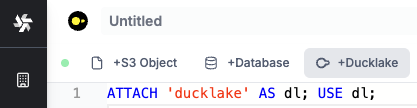
You can use the Ducklake button in the editor bar for convenience, which will insert the necessary statements for you.
DuckDB example
DuckDB is the native query engine for Ducklake. Other integrations (TypeScript, Python...) run DuckDB scripts under the hood. Note that these integrations do not start a new job when running the queries. The DuckDB script is run inline within the same worker.
In the example below, we pass a list of messages with positive, neutral or negative sentiment.
This list might come from a Python script which queries new reviews from the Google My Business API,
and sends them to an LLM to determine their sentiment.
The messages are then inserted into a Ducklake table, which effectively creates a new parquet file and stores metadata in the catalog.
-- $messages (json[])

ATTACH 'ducklake://main' AS dl;
USE dl;

CREATE TABLE IF NOT EXISTS messages (
  content STRING NOT NULL,
  author STRING NOT NULL,
  date STRING NOT NULL,
  sentiment STRING
);

CREATE TEMP TABLE new_messages AS
  SELECT
    value->>'content' AS content,
    value->>'author' AS author,
    value->>'date' AS date,
    value->>'sentiment' AS sentiment
  FROM json_each($messages);

INSERT INTO messages
  SELECT * FROM new_messages;
Using the database manager
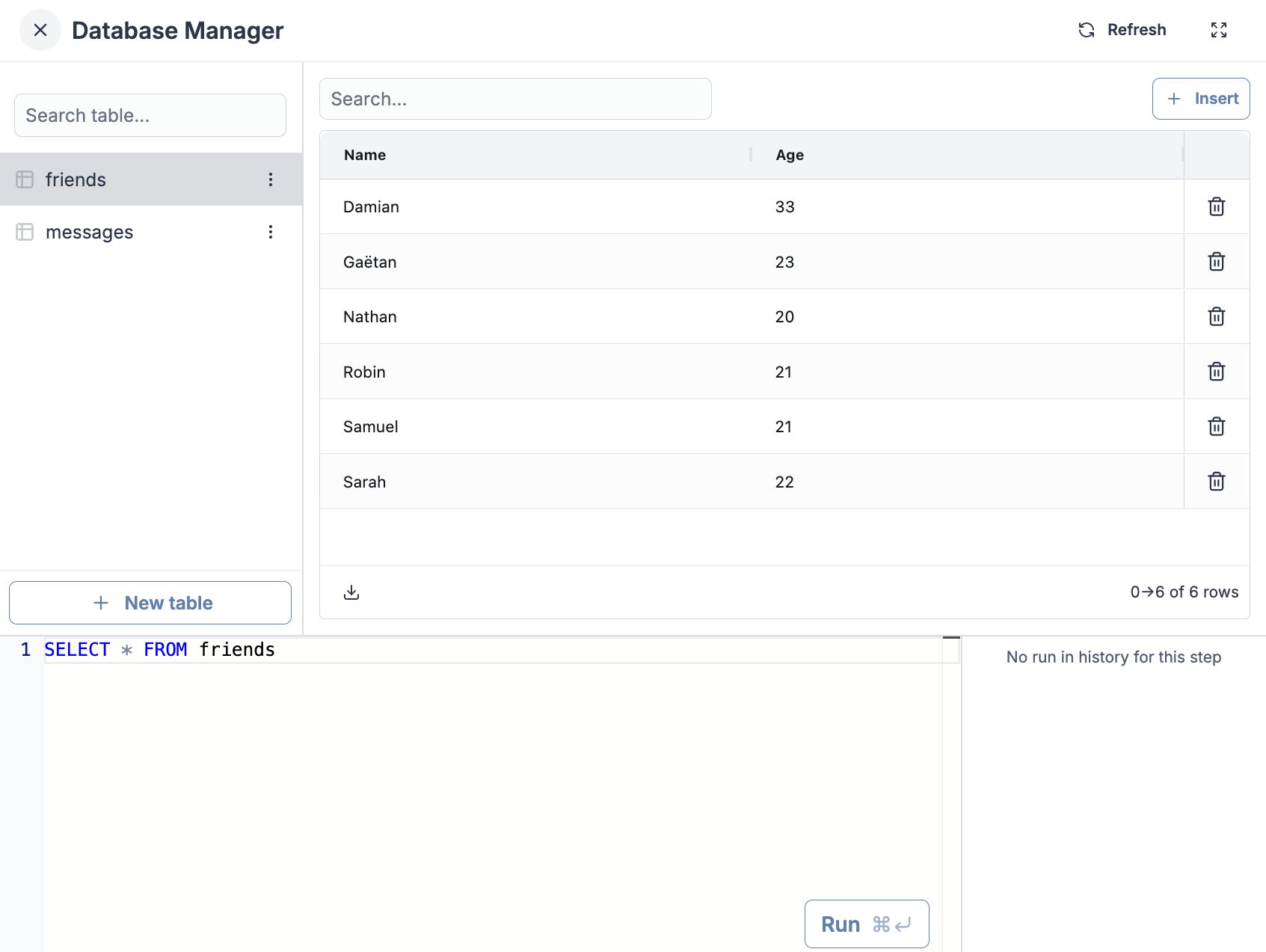
In your Ducklake settings, clicking the "Explore" button will open the database manager. You can perform all CRUD operations through the UI or with the SQL Repl.
Performance: Ducklake vs Snowflake
Most workloads under 1 TB do not need a managed data warehouse. Ducklake on a single-node DuckDB engine runs analytical queries at a fraction of the cost of Snowflake while keeping your data in your own S3 bucket.
We ran the TPC-DS benchmark at three scale factors (10 GB, 100 GB, 1 TB) to compare Windmill + Ducklake against Airflow + Snowflake, the most common open-source orchestrator paired with a managed data warehouse.
Why TPC-DS?
TPC-DS simulates a retail company's data warehouse, which mirrors a real ETL pipeline. The benchmark runs 52 tasks organized in 5 stages:
| Stage | Tasks | What it does |
|---|---|---|
| Ingest | 24 | Load raw data from 24 source tables (sales, returns, inventory, customers, products...) |
| Validate | 8 | Check referential integrity and data quality across fact and dimension tables |
| Denormalize | 3 | Join fact tables with dimensions to create analytics-ready tables |
| Aggregate | 6 | Compute business metrics: daily sales, customer LTV, return rates, channel comparison... |
| Query | 10 | Run 10 analytical queries (TPC-DS queries 3, 7, 19, 27, 34, 43, 46, 53, 67, 79) |
Pricing assumptions
- Airflow + Snowflake: Snowflake Standard tier at $2/credit. Enterprise is $3-4/credit, Business Critical is $4-5/credit. Airflow orchestration cost excluded (adds $100-500/month for managed Airflow).
- AWS EC2: On-demand pricing in us-east-1
| Snowflake Warehouse | Credits/hour | $/hour |
|---|---|---|
| Small | 2 | $4 |
| Large | 8 | $16 |
| AWS Instance | vCPUs | Memory | $/hour |
|---|---|---|---|
| m6i.4xlarge | 16 | 64 GB | $0.77 |
| m6a.8xlarge | 32 | 128 GB | $1.38 |
| m6a.16xlarge | 64 | 256 GB | $2.76 |
| r6a.8xlarge | 32 | 256 GB | $1.81 |
SF10: 10 GB dataset
At 10 GB, Windmill matches Snowflake's speed while costing 2-2.5x less.
TPC-DS SF10 (10 GB)
| Configuration | Time | Cost | $/hour |
|---|---|---|---|
| Airflow + Snowflake Small | 1m 25s | $0.09 | $4.00 |
| Windmill 2× m6i.4xlarge | 1m 26s | $0.04 | $1.54 |
| Windmill 2× m6a.8xlarge | 1m 7s | $0.05 | $2.76 |
With 2x m6a.8xlarge nodes, Windmill completes the benchmark in 67 seconds, 21% faster than Snowflake Small (85s). At comparable speed (2x m6i.4xlarge), Windmill costs $0.04 vs Snowflake's $0.10.
SF100: 100 GB dataset
At 100 GB, the cost advantage becomes more significant. Windmill runs at 3x lower cost while delivering competitive performance.
TPC-DS SF100 (100 GB)
| Configuration | Time | Cost | $/hour |
|---|---|---|---|
| Airflow + Snowflake Small | 11m 51s | $0.79 | $4.00 |
| Airflow + Snowflake Large | 3m 14s | $0.86 | $16.00 |
| Windmill 1× m6a.8xlarge | 10m 52s | $0.25 | $1.38 |
| Windmill 1× m6a.16xlarge | 6m 31s | $0.30 | $2.76 |
| Windmill 3× m6a.8xlarge | 4m 21s | $0.30 | $4.15 |
| Windmill 3× m6a.16xlarge | 2m 37s | $0.36 | $8.29 |
Key findings:
- Windmill 3x m6a.16xlarge (157s, $0.36) is 19% faster than Snowflake Large (194s, $0.86) while costing 2.4x less
- Windmill 3x m6a.8xlarge (261s, $0.30) is 35% slower than Snowflake Large but costs 2.9x less
- Windmill 1x m6a.16xlarge (391s, $0.30) runs 1.8x faster than Snowflake Small (711s, $0.79)
- Per dollar spent, Windmill delivers 2.7x more throughput than Snowflake Small
SF1000: 1 TB dataset
At terabyte scale, Snowflake's distributed architecture shows its strength. However, Windmill remains cost-competitive.
TPC-DS SF1000 (1 TB)
| Configuration | Time | Cost | $/hour |
|---|---|---|---|
| Airflow + Snowflake Large | 27m 51s | $7.43 | $16.00 |
| Windmill 3× r6a.8xlarge | 1h 10m | $6.35 | $5.44 |
Snowflake Large completes in 28 minutes vs Windmill's 70 minutes, but Windmill still costs 15% less ($6.35 vs $7.43). If you're processing terabyte-scale data daily, Snowflake's performance advantage matters. For occasional large queries, Windmill's cost savings may be worth the extra time.
Benchmarks ran on AWS us-east-1. Snowflake pricing uses Standard tier ($2/credit). Enterprise and Business Critical tiers cost 50-150% more, making Windmill's cost advantage even greater. Airflow orchestration costs (managed Airflow or self-hosted) add to the total cost of ownership.
Why not Airflow + Pandas?
Some teams try to avoid data warehouse costs by running Pandas locally. This approach breaks down quickly. We ran the same TPC-DS benchmark with Airflow + Pandas on a powerful local machine (AMD Ryzen 9 9955HX, 64 GB RAM).
TPC-DS SF10 (10 GB): Pandas vs Ducklake
At just 10 GB, Airflow + Pandas takes 47 minutes compared to Windmill's 67 seconds, a 42x slowdown. The Pandas run required limiting concurrency to 1 task at a time to avoid out-of-memory crashes. Even with 64 GB of RAM, Pandas loaded the store_sales DataFrame at ~25 GB due to decimal type overhead, forcing heavy swap usage.
Beyond 10 GB, Pandas becomes unusable. Memory consumption grows linearly with data size, but performance degrades exponentially as the system swaps to disk. At 100 GB, you would need 500+ GB of RAM to avoid swapping, and even then you are still limited to single-threaded execution on one machine.
Ducklake avoids these problems entirely. DuckDB processes data in streaming chunks, uses columnar Parquet compression, and parallelizes across all available cores. The data stays on S3, not in RAM.
What Ducklake does behind the scenes
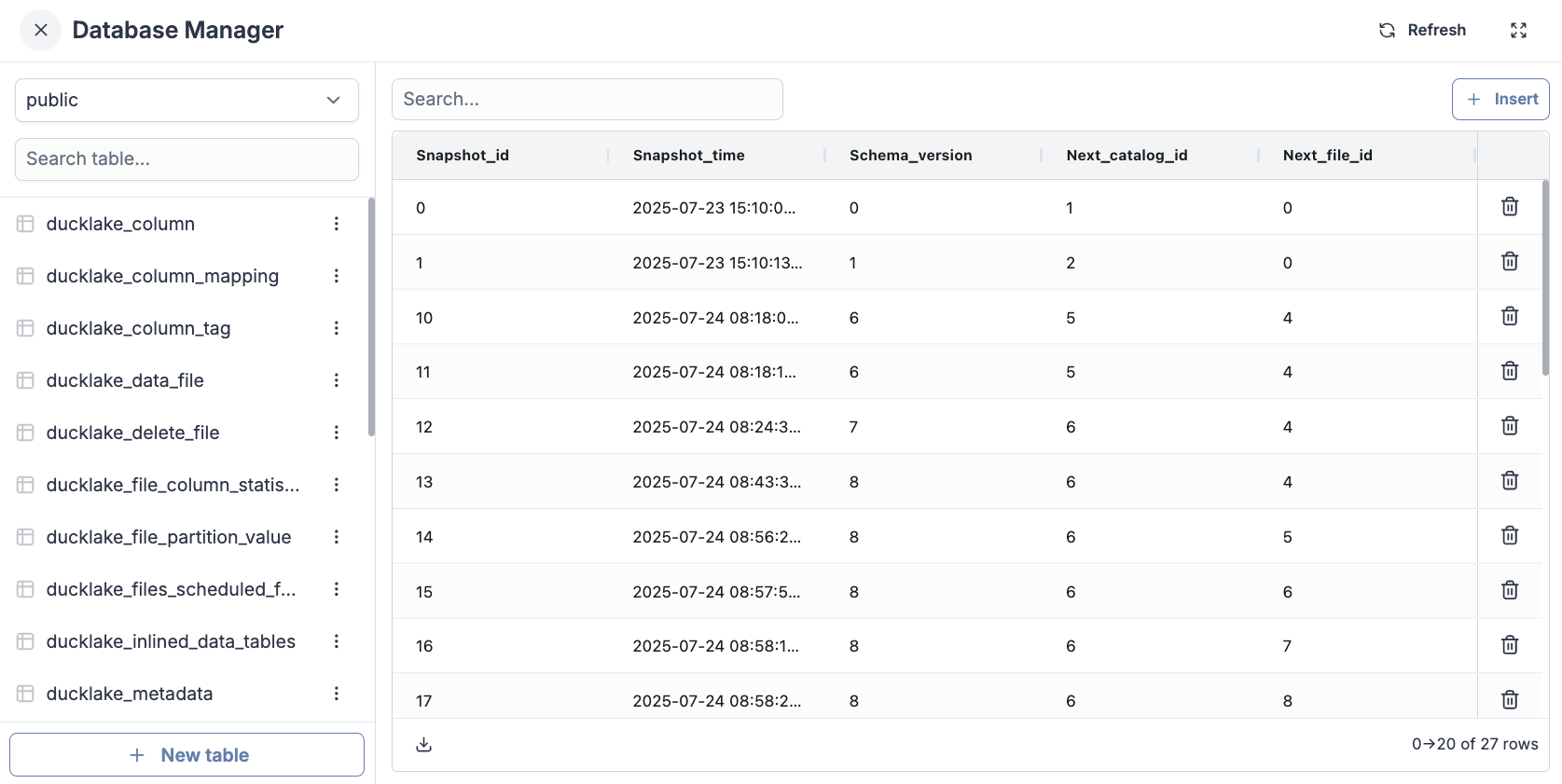
If you explore your catalog database, you will see that Ducklake created some tables for you. These metadata tables store information about your data and where it is located in S3 :
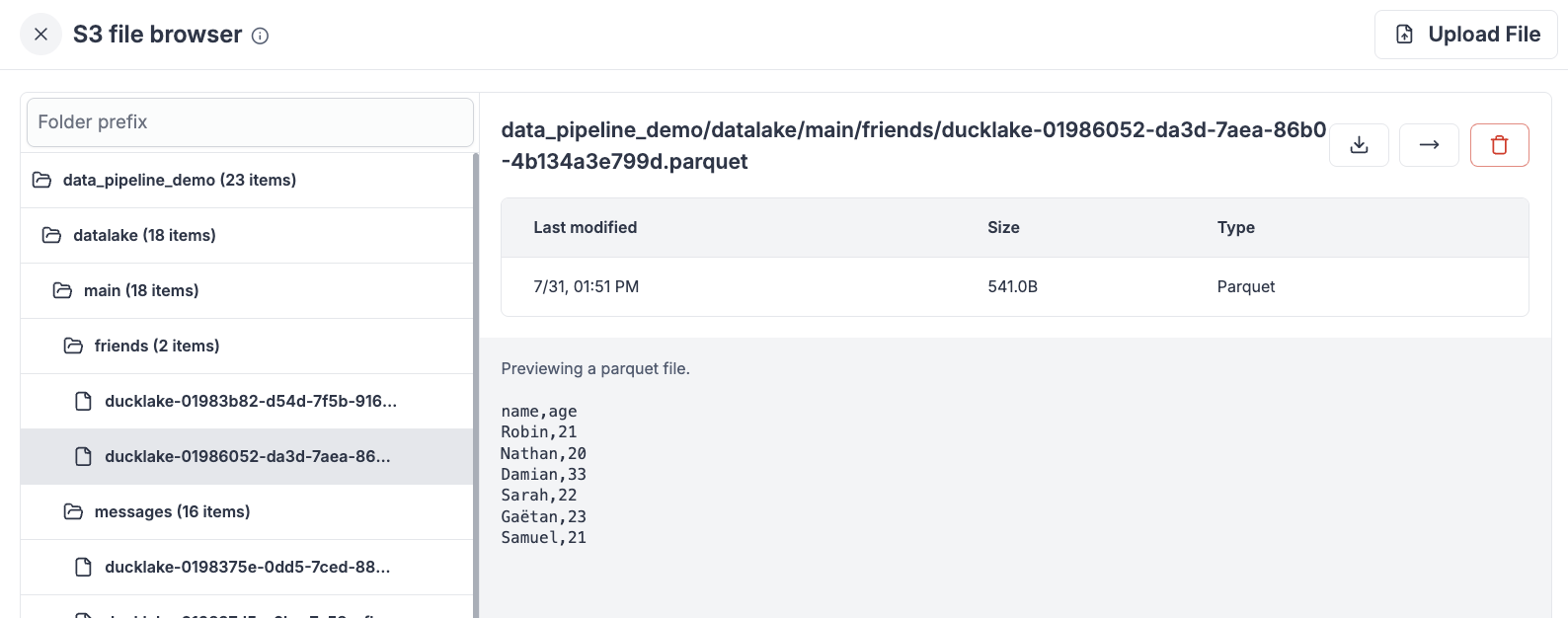
If you explore your selected workspace storage you will see your tables and their contents as columnar, parquet files :